
MofficeCollaboration1.0.6.1 - Google Play
You'll be able to see results in few seconds.
Publisher Description
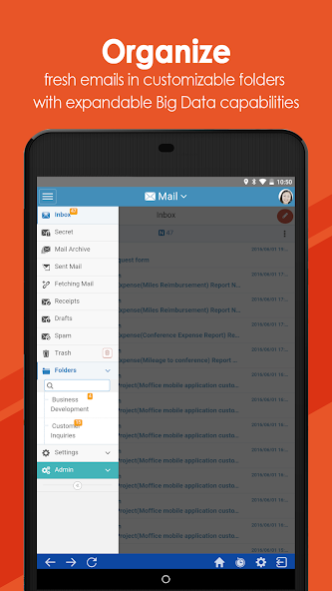


Exclusively for MofficeSuite users—Moffice Collaboration is a mobile app companion that helps users on-the-go engage with their internal company work processes—the definitive answer that helps businesses run smoother, in harmony.
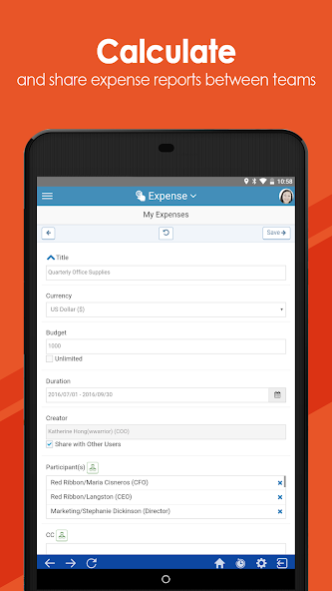
This app facilitates all the Collaboration menus provided on the MofficeSuite Web app: Mail, Task, To-Do, Project, Board, Circular, Contact, Calendar, Approval, Expense, Resource, Archive, HR, and Asset. Keep any organizational knowledge you need in the palm of your hand.
ACCELERATE TEAM WORK & PRODUCTIVITY WITH A POWER-PACKED PLATFORM
• Mail: Utilize a Big Data mail system with 95% spam and 99% virus blocking and POP3/IMAP support
• Task: Record past activities with Work Diaries and deliver specialized Task Reports
• To-Do: Send To-Do assignments to yourself or others with adjustable completion rates
• Project: Manage long-term project work with references, issue tickets, Gantt charts, and more
• Board: Create a company wiki forum with shareable text and image posts
• Circular: Send announcements, notices, polls, surveys, or consent forms and confirm responses
• Contact: Automatically sync company, public, or personal contacts from desktop to mobile
• Calendar: Automatically sync company, work, or personal calendars from desktop to mobile
• Approval: Engage in electronic document approval processing for faster permission sign-off
• Expense: Draft shared or solo expense reports with a variety of currencies and bill attachments
• Resource: Manage company resources with a reservation/permission system for cars, meeting rooms, and more
• Archive: Back-up all past data into a digitized, encrypted archive for maximum protection and data analysis
• HR: Track employee time cards, job candidates, holiday usage, consultation requests, certifications, and more
• Asset: Record and stay on top of company assets, depreciation costs over time, and responsibility management
About MofficeCollaboration
The company that develops MofficeCollaboration is MofficeSoft Inc. The latest version released by its developer is 1.0.6.1.
To install MofficeCollaboration on your Android device, just click the green Continue To App button above to start the installation process. The app is listed on our website since 2020-10-13 and was downloaded 0 times. We have already checked if the download link is safe, however for your own protection we recommend that you scan the downloaded app with your antivirus. Your antivirus may detect the MofficeCollaboration as malware as malware if the download link to com.hanbiroinc.groupware.moffice is broken.
How to install MofficeCollaboration on your Android device:
- Click on the Continue To App button on our website. This will redirect you to Google Play.
- Once the MofficeCollaboration is shown in the Google Play listing of your Android device, you can start its download and installation. Tap on the Install button located below the search bar and to the right of the app icon.
- A pop-up window with the permissions required by MofficeCollaboration will be shown. Click on Accept to continue the process.
- MofficeCollaboration will be downloaded onto your device, displaying a progress. Once the download completes, the installation will start and you'll get a notification after the installation is finished.
Program Details
System requirements
Download information
Pricing
Version History
version 1.0.6.1
posted on 2020-10-14
Upgrade sdk
version 1.0.6.0
posted on 2019-09-04
- Fix crash when remove account
- Improve preview file after download
version 1.0.1.8
posted on 2016-12-11
Config user's first page,Improve speed.
Disclaimer
Official Google Play Link
We do not host MofficeCollaboration on our servers. We did not scan it for viruses, adware, spyware or other type of malware. This app is hosted by Google and passed their terms and conditions to be listed there. We recommend caution when installing it.
The Google Play link for MofficeCollaboration is provided to you by apps112.com without any warranties, representations or guarantees of any kind, so access it at your own risk.
If you have questions regarding this particular app contact the publisher directly. For questions about the functionalities of apps112.com contact us.
